Step 1
Sign in to Outlook on the web with your IdentiKeyUsername@colorado.edu email address and IdentiKey password.

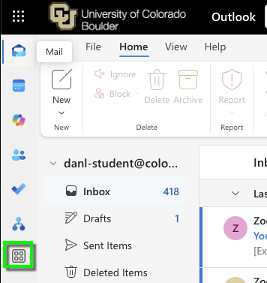

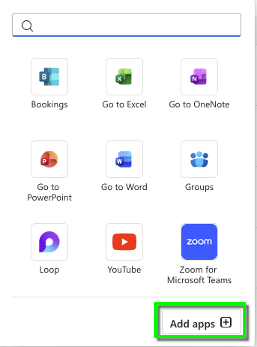

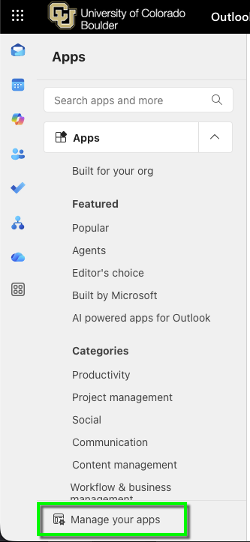
Step 5

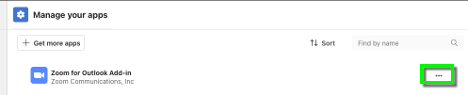

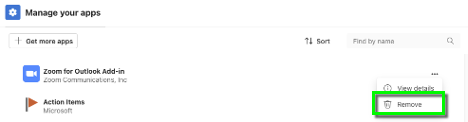
Step 7
Close out of Outlook desktop application and relaunch Outlook to complete the uninstall.

Use this tutorial if you have previously installed the Zoom plug-in for Outlook on your computer (before summer 2021).
For instructions to install the current Outlook add-in, please visit the Install Zoom Meeting Add-in to Outlook tutorial.
Sign in to Outlook on the web with your IdentiKeyUsername@colorado.edu email address and IdentiKey password.
Close out of Outlook desktop application and relaunch Outlook to complete the uninstall.



