


Step 3
Enable the Classroom Capture Videos button.
- Two methods:
Click the three vertical dots and click Enable.
Image
- Drag and drop the Classroom Capture Videos button up into the enabled section.
- Move the Classroom Capture Videos button up or down on the menu bar to determine final placement.
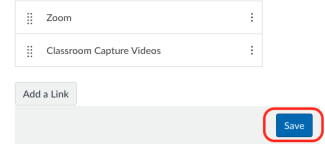

Students will now be able to access the videos using the “Classroom Capture Videos” button

Please Note: By default only students enrolled in the section being recorded will have access to the Classroom Capture videos. If the course is a combined course, instructors can request to have the videos shared with students in all sections.
Enabling the Classroom Capture Videos button does not request the service. Instructors will need to request Classroom Capture for their course using the online request form.



