
Start Date & Time
End Date & Time
Description
Update, May 5, 2026: This issue has been resolved with a patch Microsoft recently implemented. If you have any issues during setup, please reach out to your IT Support Professional or the IT Service Center for assistance.
Service issue reported: OIT is aware of an issue affecting new Mac computers during setup of the Secure Computing process. Customers may get an error when signing into Outlook or Office 365 that reads, "Please check your proxy configuration and try again."
Image
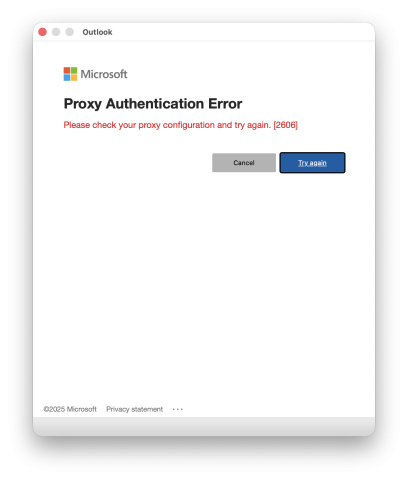
As a workaround, click Try Again to login to the service.
We understand this may be frustrating and appreciate your patience while we work on a solution. If you need assistance, please contact your IT Support Professional or the OIT Help Desk.



